How To Find Kinetic Parameters for Isothermal Crystallization From DSC Experiments
Required:
1) NETZSCH Proteus Analysis software version 9.10 (or higher)
2) Kinetics Lite option
Introduction
For kinetic analysis it is necessary to open in NETZSCH Protes Analysis software at least 3 experimental curves measured at different temperature conditions, more measurements are recommended. For DSC the segments with different isothermal conditions are used for kinetic analysis of isothermal crystallization.
This example presents isothermal crystallization of Polyamide 12.
Importing DSC Data from NETZSCH Proteus Analysis
- In NETZSCH Protes Analysis software open at least 3 experimental DSC curves measured at different temperature conditions
- For each experimental curve evaluate the peak area for the temperature (or time) range of interest. Please select the baseline, which is necessary for enthalpy evaluation. The evaluation ranges and the baselines can be different for different DSC curves.
- Select curves with peak area evaluation (click and ctrl+click on each curve or single click on DSC axis):
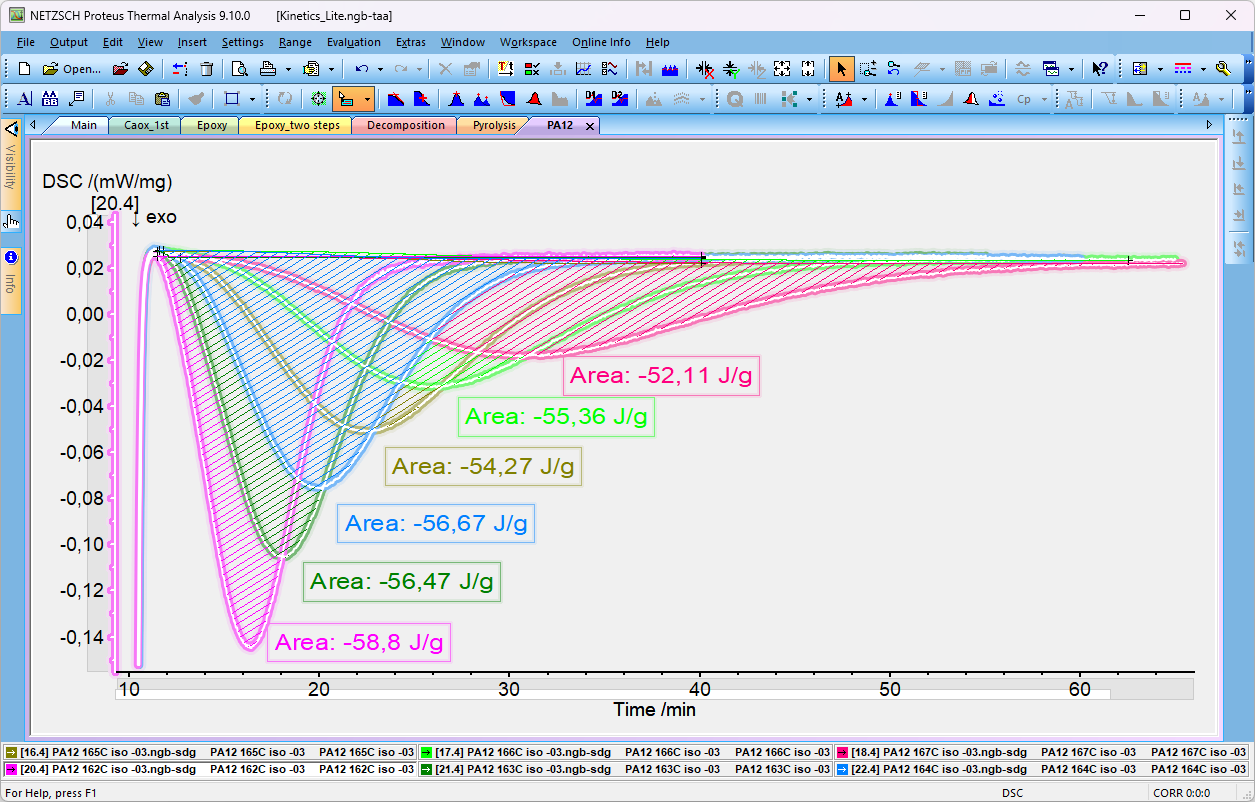
Figure 1. Proteus Analysis software with DSC data for kinetic analysis
4. In NETZSCH Protes Analysis select Kinetics Lite from Extras menu Item.
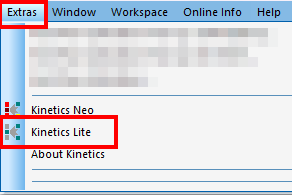
Figure 2. Selection of Kinetic Lite Option in NETZSCH Proteus Analysis software
Result: Kinetics Lite is started, where selected curves are automatically loaded from Proteus Analysis into Kinetics Lite. Only selected ranges are loaded, baselines are subtracted, file names can be seen in Legend if File Name is selected in View ribbon.
Switch to Time for X-Axis to see isothermal measurements:
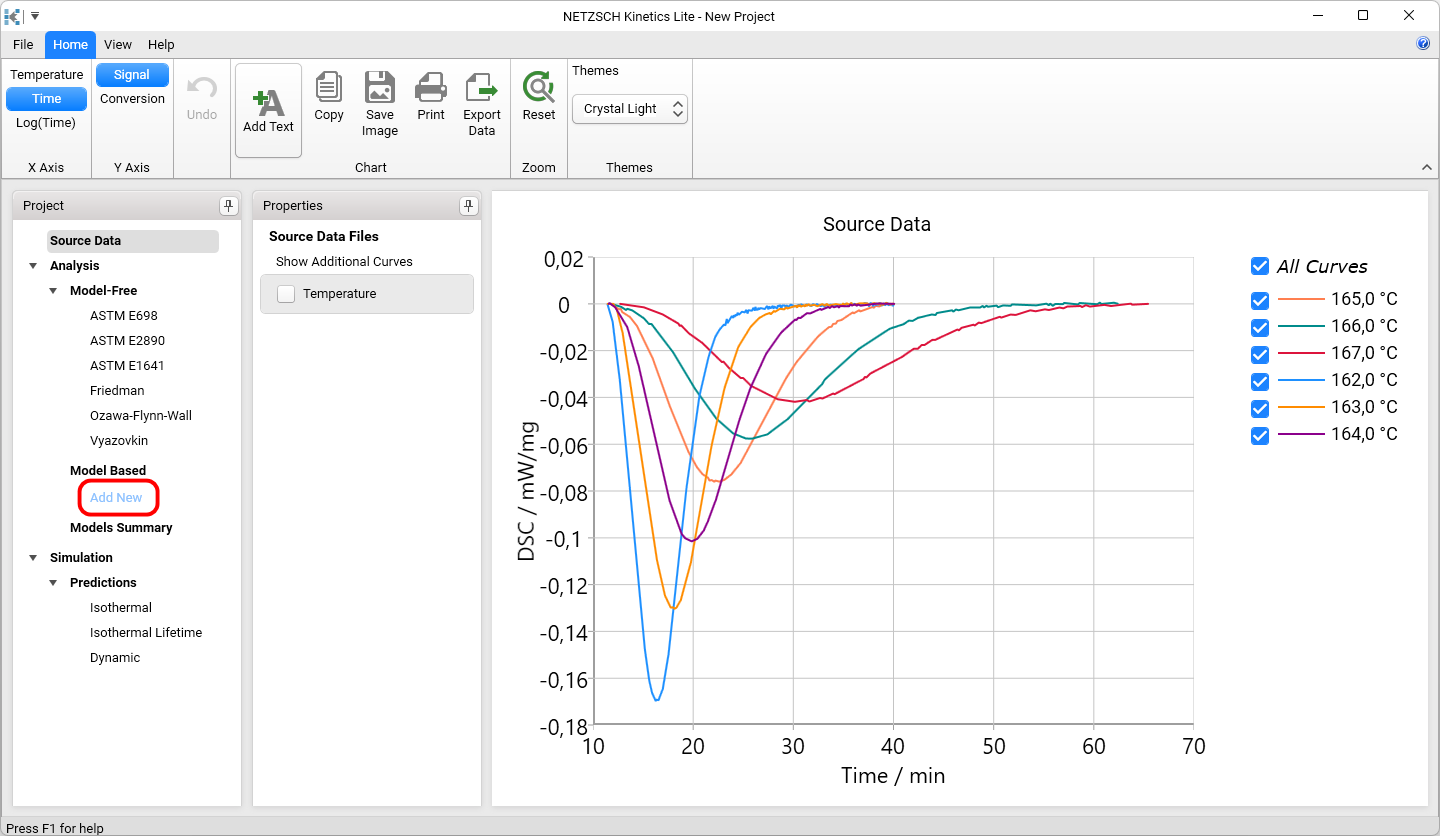
Figure 3. Experimental curves are automatically loaded from Proteus Analysis into Kinetics Lite.
5. In Project Panel click on Add New to create single-step kinetic model.
Result: new single-step kinetic model is created. The reaction type is found automatically, for crystallization it is usually nucleation according to Avrami reaction of An type.
In the Properties panel you can find kinetic equation and kinetic parameters, including activation energy in kJ/mol. In the bottom of Properties Panel the fit quality R² can be found as well as the possibility to export kinetic equation with kinetic parameters to external txt file.
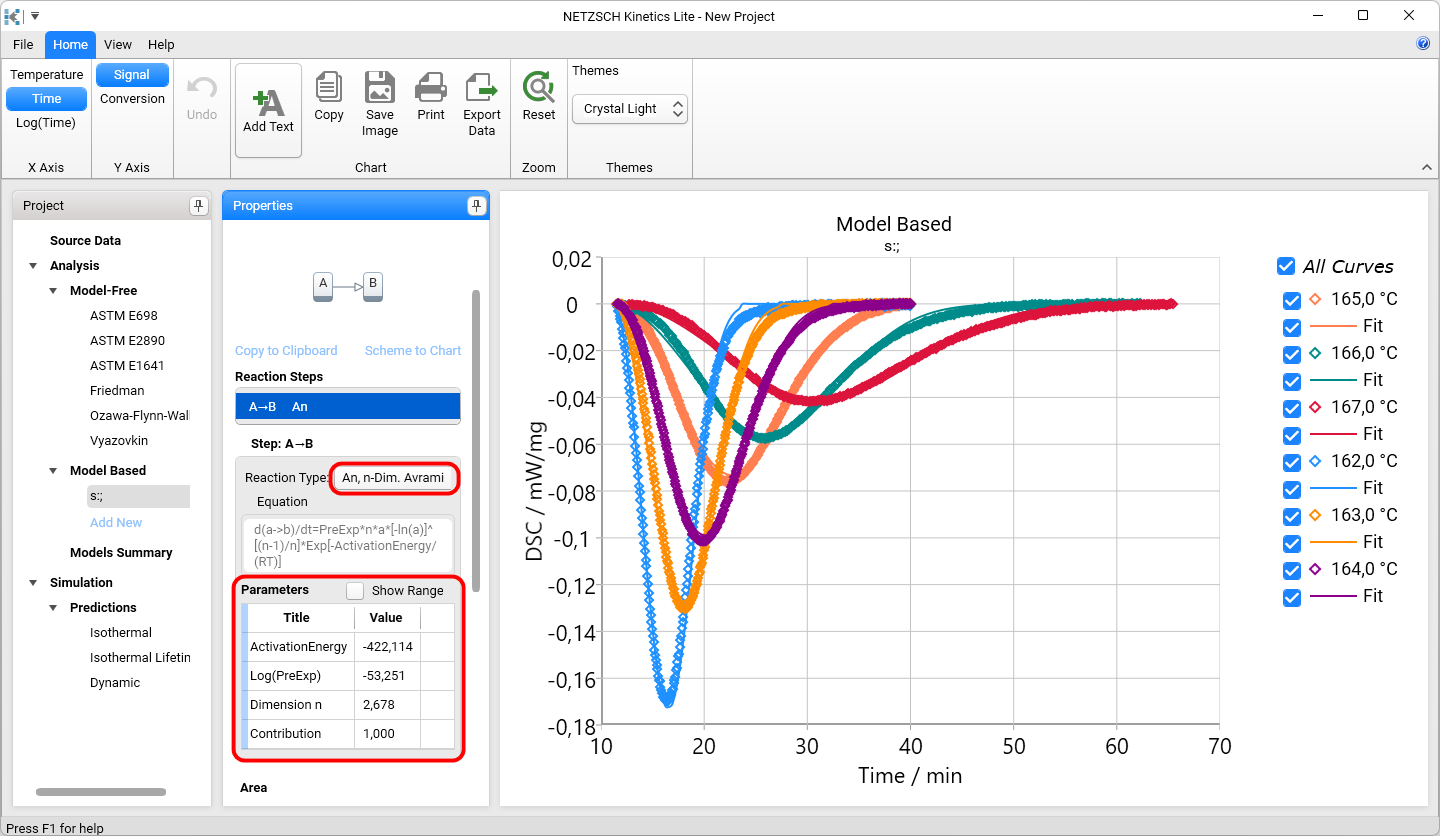
Figure 4. Experimental data (markers) and simulated curves for single-step kinetic model.
Negative activation energy means increasing of crystallization rate for lower temperatures because of supercooling.